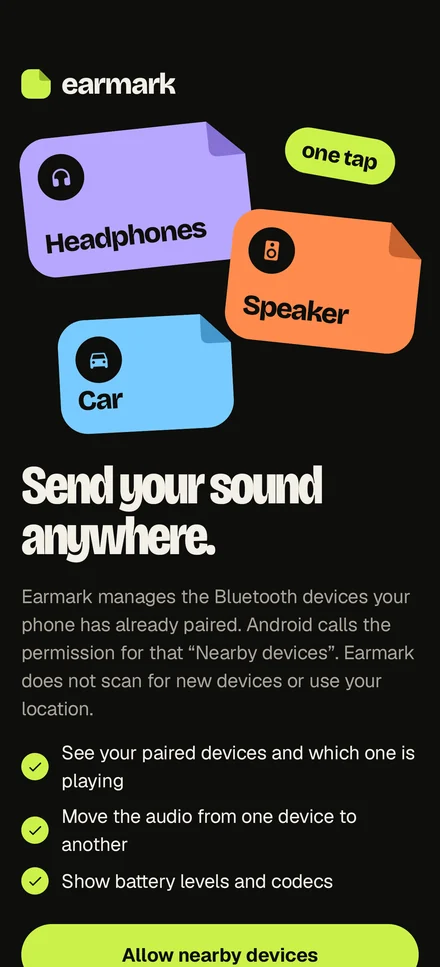
Send your sound anywhere.
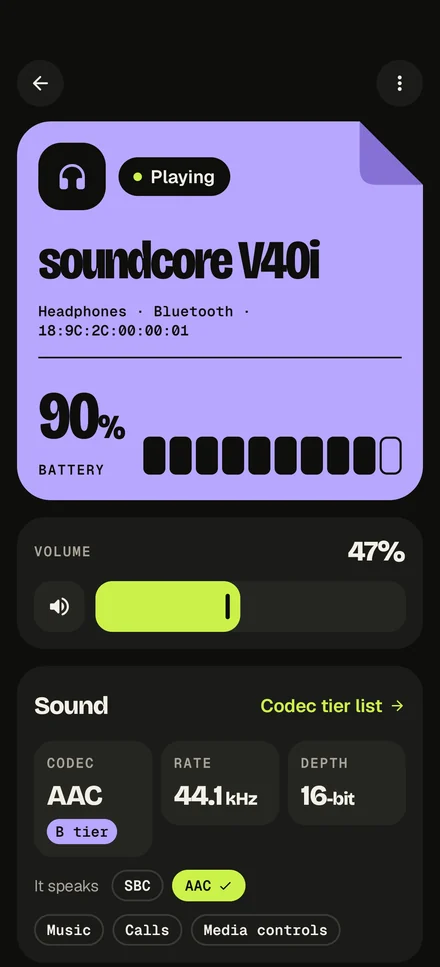
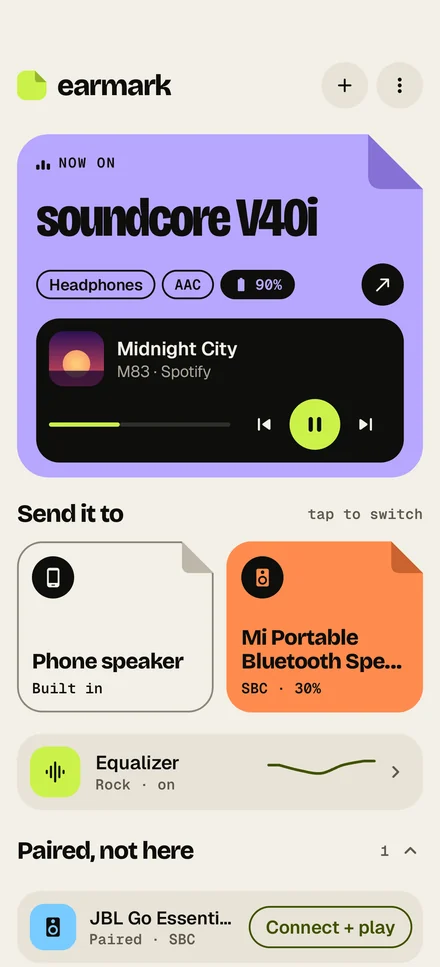
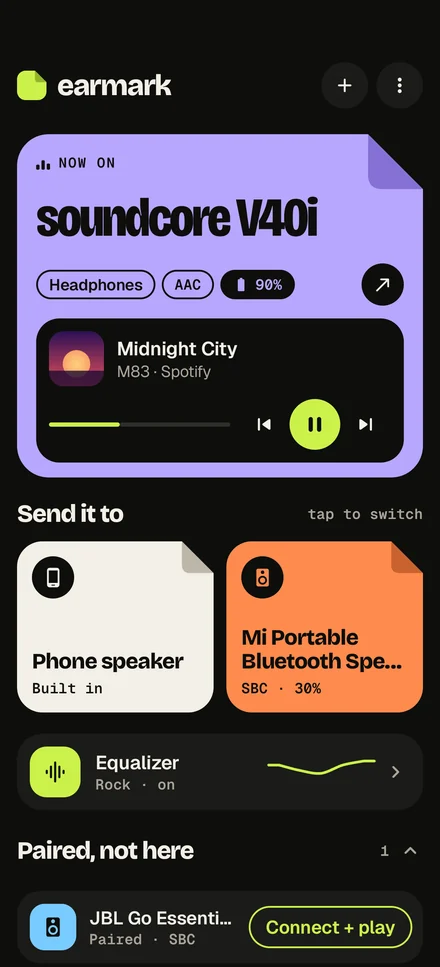
Every pair of headphones, every speaker and the car your phone already knows — on one screen, each a sticker in its own colour. Tap one and the music moves there, still playing. See what codec it speaks and how much battery it has left, and shape it with an equalizer.
Earmark has no permission to use the internet — not unused, absent; the Play listing shows it. It manages only the devices your phone has already paired, so it never scans the air for new ones and never asks where you are.
No account, no ads, no analytics. Your device list, notes and equalizer presets never reach us. The privacy policy says exactly what the app reads and keeps.
Tap a sticker. The music moves there, and Earmark checks it landed.
Try it: tap one
-
One tap, no settings
Earmark asks Android to make that device the one media plays through — the same call Android's own output switcher makes. Between devices that are already connected the music keeps playing.
-
Then it checks
Now on… appears only once the phone itself says the sound is there. If a switch did not land, Earmark tells you so instead of pretending it worked.
-
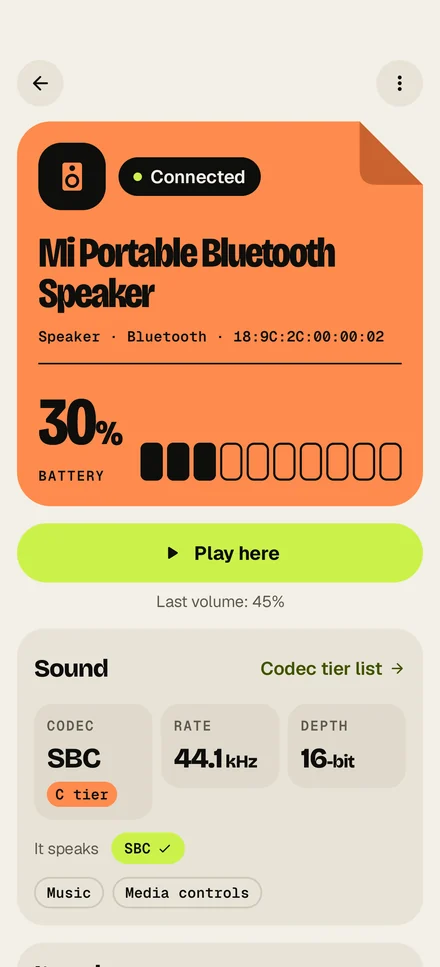
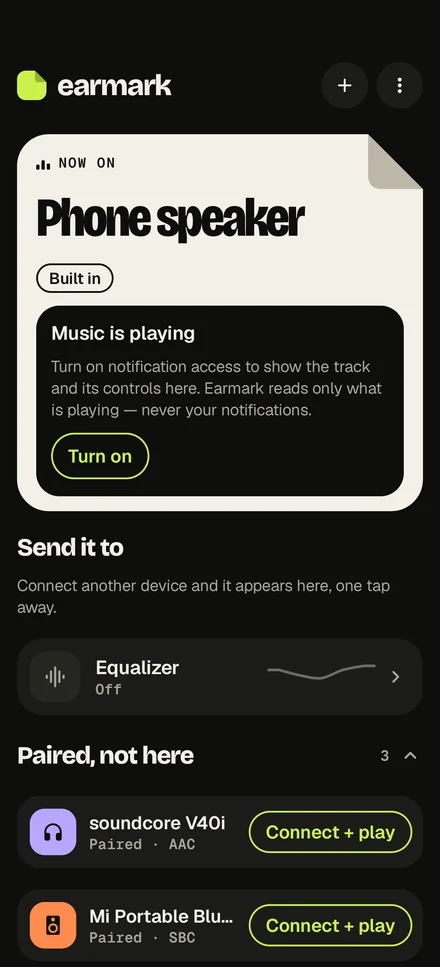
Paired but not here? Connect + play
A device your phone knows but is not connected to waits under Paired, not here. One button connects it and hands it the music.
The panel above is a drawing of the app's hub, so you can try the tap here. Nothing on this page talks to your phone.
Headphones that switch on in a bag no longer steal the speaker.
When a Bluetooth device connects, Android hands it the sound — mid-song, in the middle of a party. Turn Take the audio when it connects off for that device and Earmark sends the sound straight back to where it was playing: another device, the phone speaker or a cable.
Let Earmark manage the device — Android asks you once, for that device only — and Android wakes Earmark when it connects, so the rule holds with the app closed, on phones whose maker allows it.
Everything about the device in your ears, on one screen.
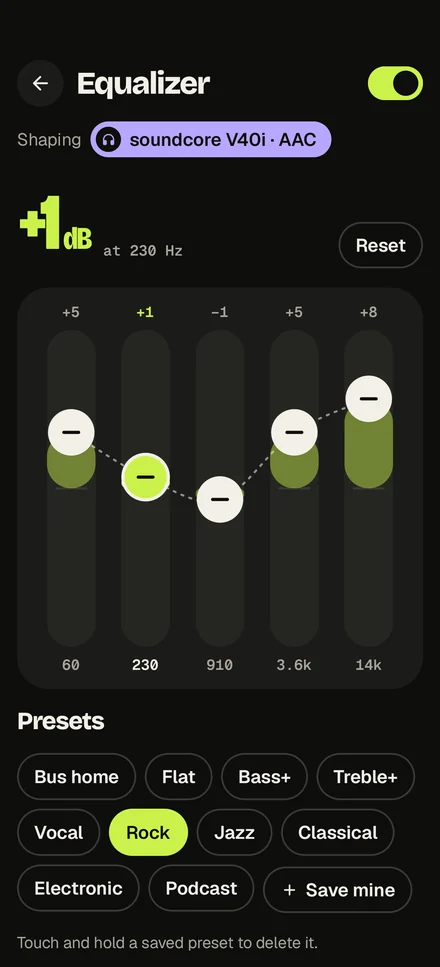
Equalizer
The phone's own bands, with Bass+, Treble+, Vocal, Rock, Jazz, Classical, Electronic and Podcast to start from — and your own curves saved by name.
Codec and battery
Which codec each device is using, the rate and bit depth, which others it can speak — and its battery, where the device reports one.
Now playing
The track, the app it is playing in, and play, pause and skip, right above the devices. Android shows the track only to apps with notification access; Earmark reads the track and never your notifications.
A colour and a note each
Pick a device's colour, so the speaker in the kitchen is always tangerine. Write down anything worth remembering about it.
Low-battery alert
A notification when a device's battery drops to the level you choose — only if you turn it on.
Backup to a file
Your devices, notes and presets saved to a file you choose, and restored on this phone or the next one. On a tablet, the hub spreads into two columns.
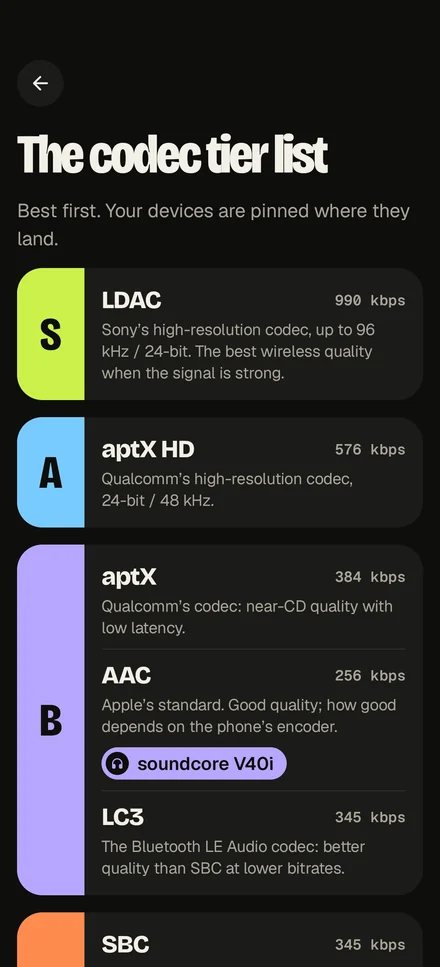
Best first. Your devices are pinned where they land.
The codec decides how much of the music survives the trip through the air. Earmark ranks the ones Bluetooth audio uses, and puts each of your devices beside the one it is speaking.
- LDACup to 990 kbps
Sony's high-resolution codec, up to 96 kHz / 24-bit. The best wireless quality when the signal is strong.
- aptX HD576 kbps
Qualcomm's high-resolution codec, 24-bit / 48 kHz.
- aptX384 kbps
Qualcomm's codec: near-CD quality with low latency.
- AAC256 kbps
Apple's standard. Good quality; how good depends on the phone's encoder.
- LC3345 kbps
The Bluetooth LE Audio codec: better quality than SBC at lower bitrates.
- SBC345 kbps
The codec every device supports. Basic quality.
A codec is read, never guessed. Many phones tell an app which codec a device is using only once you have let that app manage the device. Until then Earmark says Unknown and offers to ask Android — it does not fill the gap with a likely answer.
What Android will not let it do.
Android has no public way for an app to choose where your music plays. Earmark does it anyway, carefully, and this is where the edges are.
Switching goes through a door Android does not advertise
It worked on every phone we tested — OnePlus, TCL and Honor, on Android 16 — but a phone maker can close it. Where a switch does not land, Earmark says so.
It does not pair new devices
Earmark never scans, which is why it needs no location. Pair a new device once in Android's Bluetooth settings and it appears in Earmark from then on.
The equalizer runs while Earmark does
When Android closes Earmark to free memory, the equalizer stops until you open the app again. Your curve is kept.
Some makers keep it asleep
A managed device wakes Earmark when it connects, so its rules work with the app closed. Some makers block that wake-up: on a TCL tablet the rules held only while Earmark was open.
Earbud batteries and pairing pictures stay with Android
Android keeps each earbud's own battery and the Fast Pair picture for its system apps. Earmark shows the battery a device reports to every app, or none.
The equalizer is the phone's to lend
Some phones let no app use their equalizer, and Earmark says so. Others lay their own effects, Dolby Atmos and the like, on top, which can hide it; some players need a pause and play before it reaches them.
An Android phone or tablet
Android 8 or newer, with Bluetooth. Earmark asks for one permission to start: Nearby devices.
Devices paired once
Headphones, speakers, the car — paired in Android's settings as usual. Earmark adds them to its list.
Two optional yeses
Notification access, for the track and its controls. Android's approval per device, for its codec and its rules while Earmark is closed.
Rendered by the app itself, not drawn for the page.